
HP-48 Web Kermit App
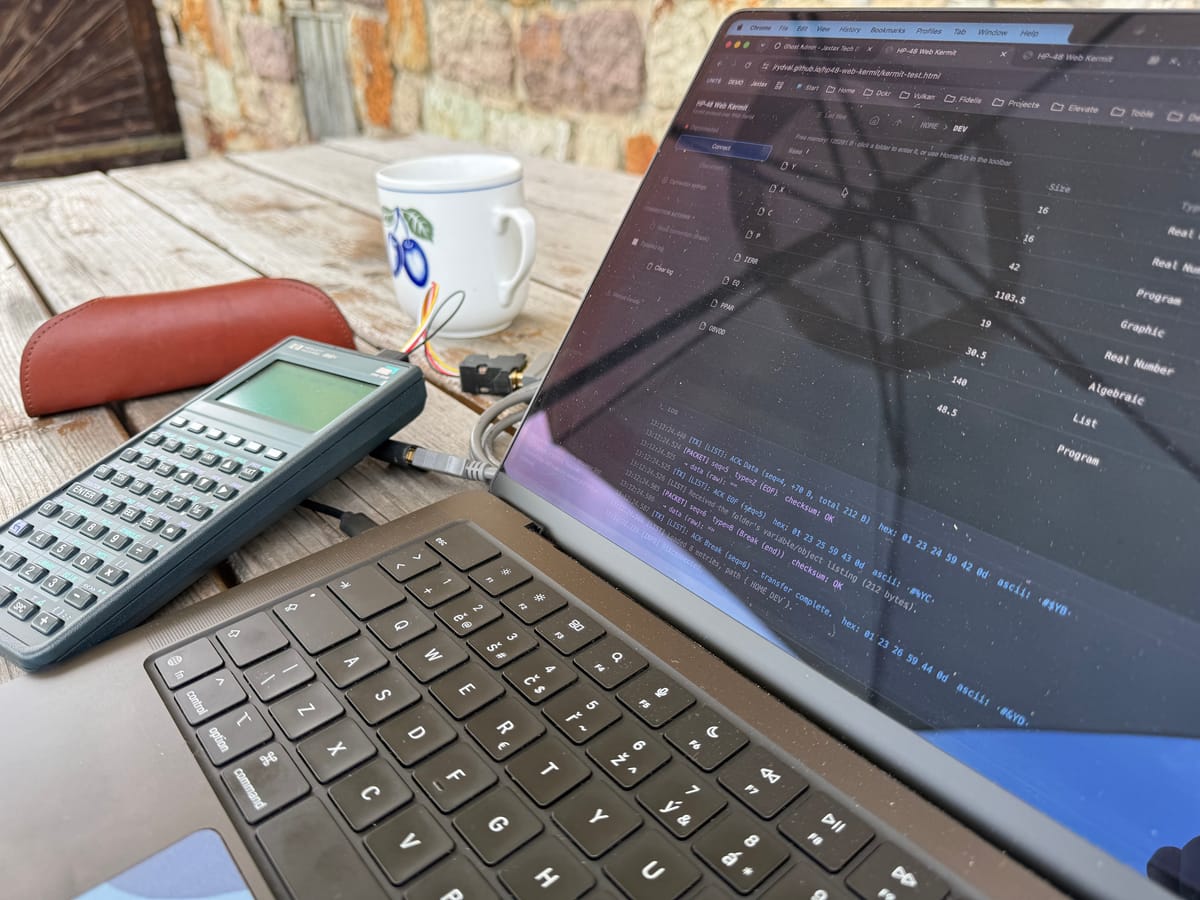
I really like HP RPN/RPL calculators. The HP-48GX is one of my favorites. It's old, but it's still a great little computer, and I like to use it.
From time to time, I need to move a file to or from the calculator. On macOS, I can do this with kermit. It works fine, but there is a catch: I don't use it often enough to remember how I set it up last time. So before every transfer, I spend a while searching for my old notes, checking the settings, and getting the connection working again. Once it's set up, sending one file only takes a few seconds. The setup takes much longer than the actual transfer.
That felt silly. So I had an idea: what if I used AI, in this case Claude, to build a small tool that just works? No setup, no digging through old notes, no remembering command-line options. Open it, click Connect, and it works on the first try.
That's how HP-48 Web Kermit was born. It's a small web app that talks to the calculator directly from your browser, using the Web Serial API and the Kermit protocol. You don't need to install anything. The code is on GitHub, and you can run it straight from there:
👉 https://github.com/jrydval/hp48-web-kermit
Right now it can:
- Send a file from your computer to the calculator
- Download a file from the calculator to your computer
- Create a new folder on the calculator
- Delete an empty folder
- List what's inside a folder, so you can browse around
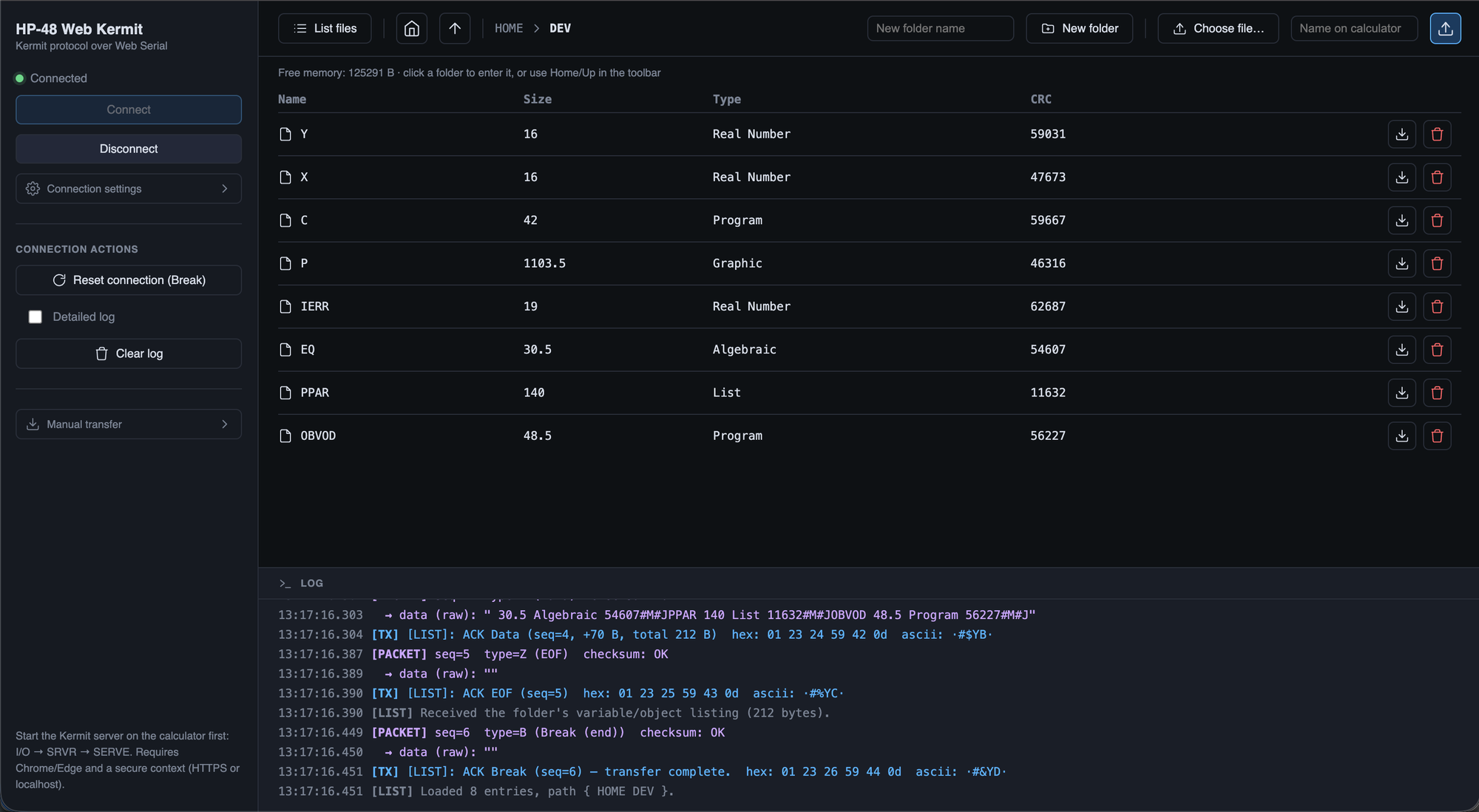
Here is kermit running in the terminal, next to the web app. You can see why I prefer the second one:
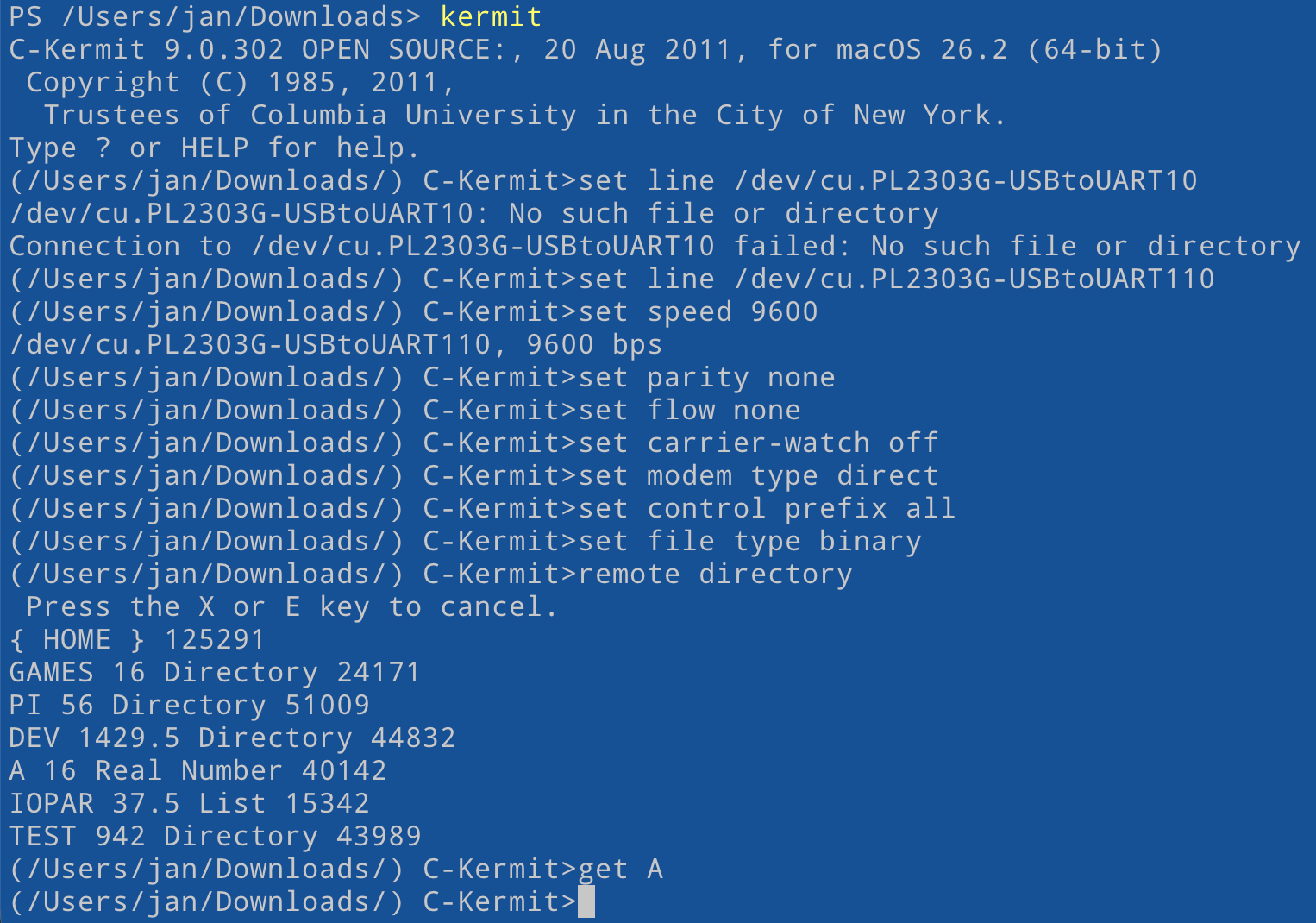
No terminal, no settings to remember, no old notes to dig up. Just open the page and get your file across:
Maybe you will find it helpful...